Every bill, on time.
Track every bill in seconds, get reminded before it's due, mark it paid.
 Coming soon
For iPhone · Free for up to 12 bills
Coming soon
For iPhone · Free for up to 12 bills
Your bills stay on your iPhone and in your iCloud.
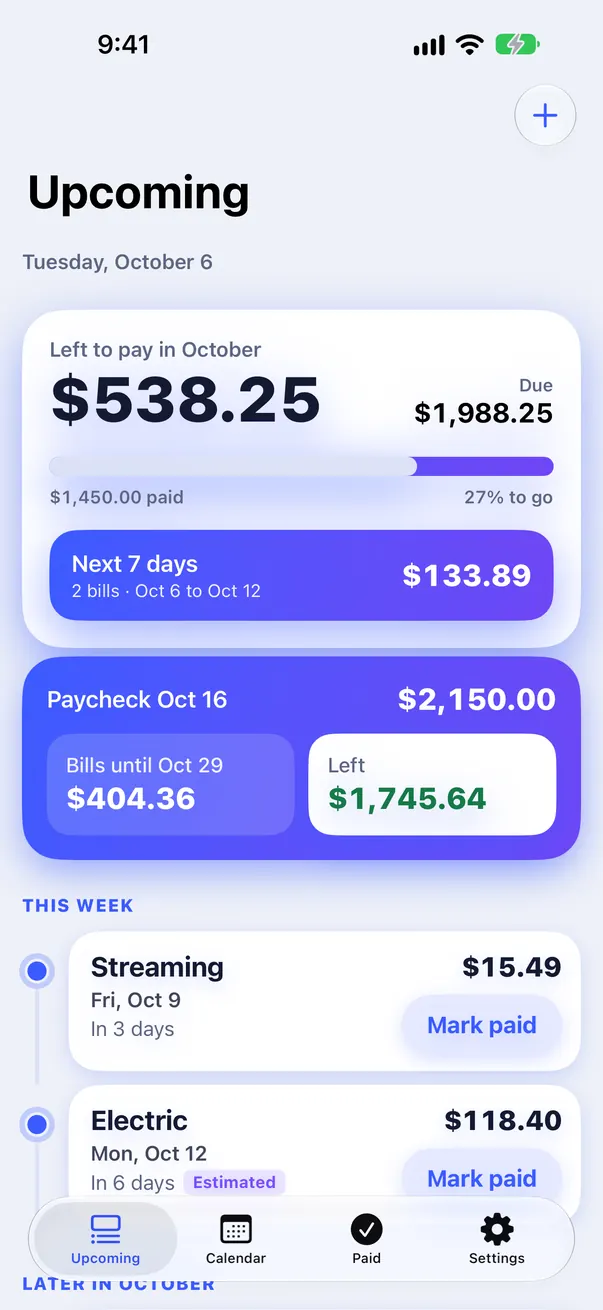
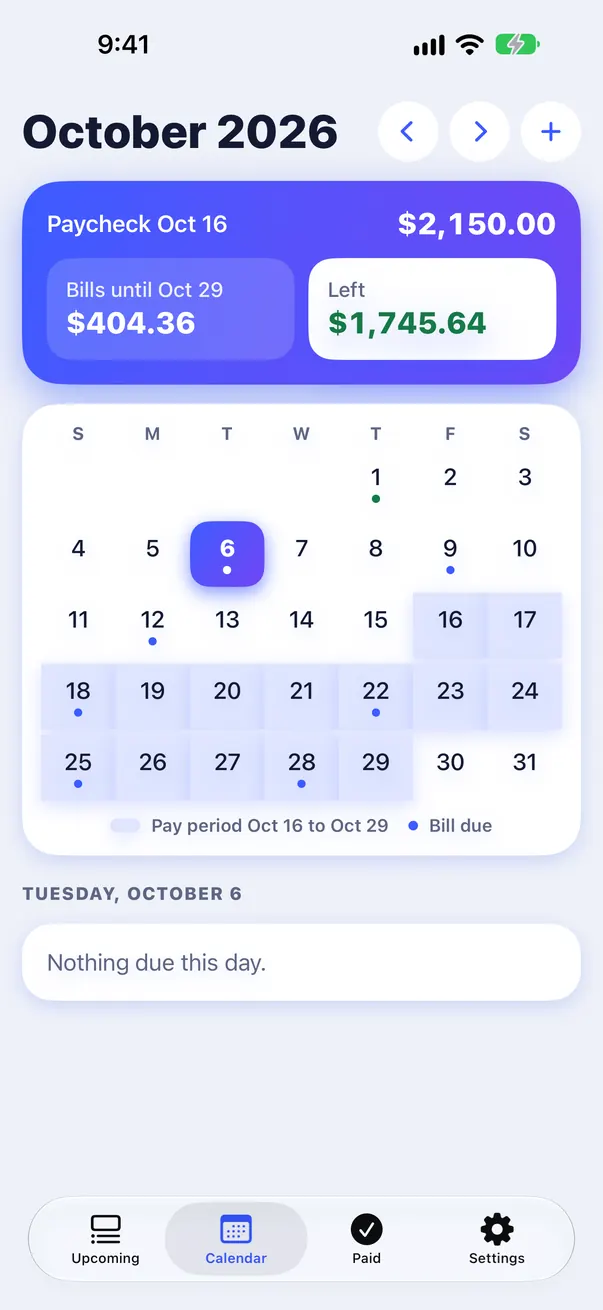
Due dates that are always right
Set a bill once and Duvio works out every future date, including the awkward ones.
- ✓Short months handledA bill due on the 31st lands on the last day of shorter months.
- ✓Weekend and bank holiday awareChoose to move a date to the next business day, or the one before.
Monthly on the 31st
November has 30 days
Twice a month
On the 1st and 15th
Every 2 weeks
On Friday
Every 30 days
Counted from the last due date
Bank holiday
Due Wed, Nov 11, Veterans Day
Reminders that arrive
Pick when you hear about each bill: days before, on the day, or both, at the time you choose.
- ✓Mark paid from the notificationPaid it already? Tap Mark paid without opening the app.
- ✓Overdue remindersIf a bill slips past its date, Duvio reminds you once a day for up to 7 days, until it's marked paid.
- ✓Autopay billsAutopay bills are marked paid on the due date. Want a heads-up anyway? Turn on Remind me anyway.

Move from your old bill app in minutes
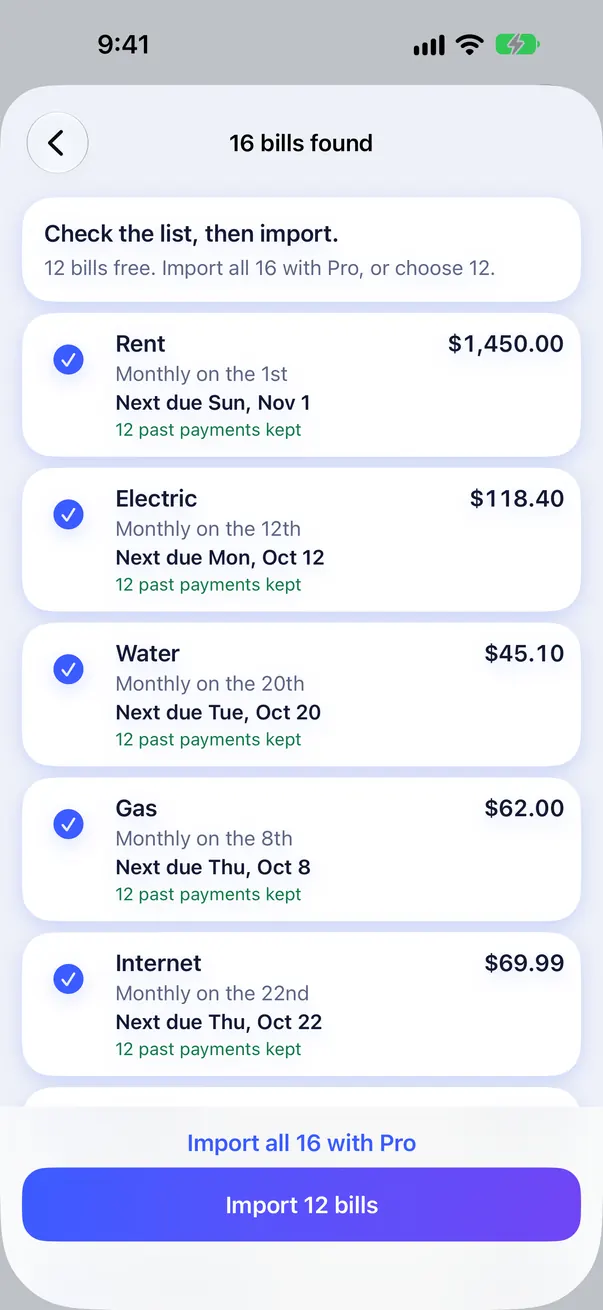
No need to retype every bill. Duvio shows a preview so you can check each one before it's added.
CSV file
Export from your old app or a spreadsheet, then open the file in Duvio.
Paste a list
One bill per line. Duvio reads the name, amount and day.
Rent 1450 1st
Electric 118.40 12th
Screenshots
Take screenshots of your old app's bill list. Duvio reads them on your iPhone.
Starting from a spreadsheet? Use our template.
Download CSV templateFree and Pro
Free for up to 12 bills. Pro is a one-time $9.99.
Free
Everything you need for a smaller set of bills.
- ✓Up to 12 bills
- ✓Reminders and Mark paid
- ✓Calendar and monthly totals
- ✓Import and CSV export
Duvio Pro
Pay once and keep it. No subscription, no trial.
- ✓Unlimited bills
- ✓iCloud sync on iPhone and iPad
- ✓Home Screen and Lock Screen widgets
- ✓Paydays and "left after bills"
Questions
Does Duvio pay my bills?
No. Duvio reminds you and keeps track. You pay each bill the way you do today, then tap Mark paid.
Do I need to connect my bank?
No. You type your bills in yourself, or import them. Duvio never asks for bank logins.
Where is my data stored?
On your iPhone. With Pro, it also syncs through your own private iCloud so your iPad stays up to date. There is no Duvio server.
What happens after 12 bills?
Your first 12 bills stay free forever. To add more, buy Pro once for $9.99.
Can I get paid every two weeks and still plan?
Yes. With Pro, add your paycheck and Duvio shows the bills due before the next one and how much is left.
Every bill, on time.
Free for up to 12 bills. Pro is a one-time $9.99.
 Coming soon